01 / 03
Start with where the person is
I put the current stage near the top so the person can see where they are in the move from hospital to home. The plan starts during admission and stays with them through discharge.
Wooden Bridge
Digital Bridge to Home · Sinai Health
Wooden Bridge is a patient-owned transition hub developed from the Digital Bridge to Home research program. I designed the MVP to help patients and caregivers understand what changed in hospital, what happens next and who to contact after discharge.
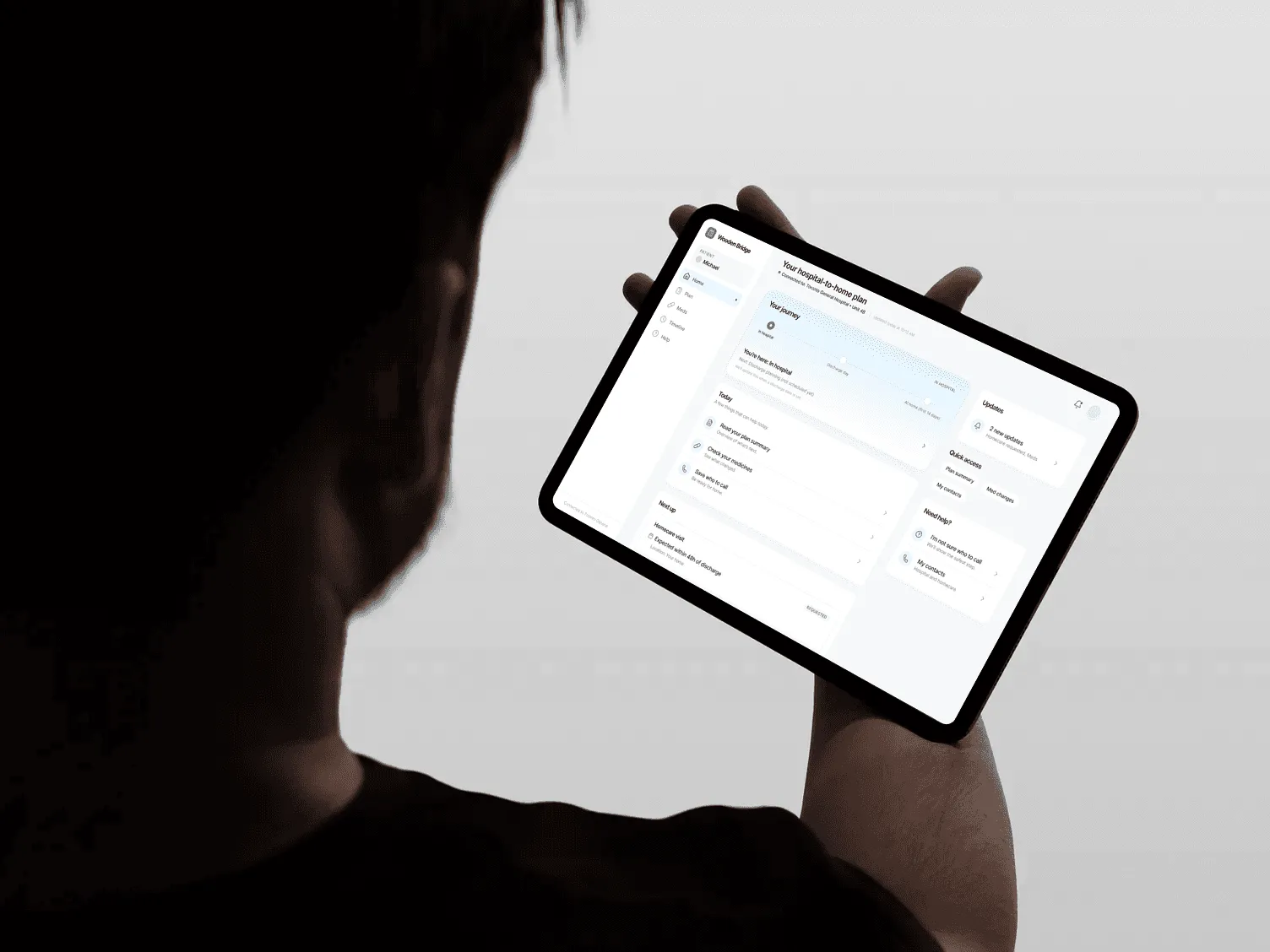
01 / Introduction
I joined Sinai Health’s Digital Bridge to Home program after the research was underway. The team wanted to turn the findings into a product they could test with patients and present to the hospital for adoption. Wooden Bridge was the product proposal that grew from that work.
I was responsible for the product design, from mapping the service and organizing the information to designing the MVP. I also helped shape the co-design work so the findings could inform practical product decisions. One of the harder decisions was how much follow-up support the product could promise after discharge.
02 / Research
The study explored the work older adults with complex care needs and their caregivers take on during the move home. Ten people were interviewed, and the analysis identified nine recurring challenges. I contributed validation and formal analysis, and am a co-author of the published paper.
I used co-design sessions, a patient journey map and a service blueprint to put the patient and caregiver workload beside the handoffs between hospital and community care. I also proposed a vignette video so workshop participants could respond to a familiar transition experience.
The co-design work gave us something useful: a way to decide what belonged in the MVP. We focused on a plan people could follow as it changed, clear status for services, and a route to help when details were missing. The sessions also exposed what a screen could not fix. Ongoing follow-up would need a staffed care process, so we left that promise out of the product.
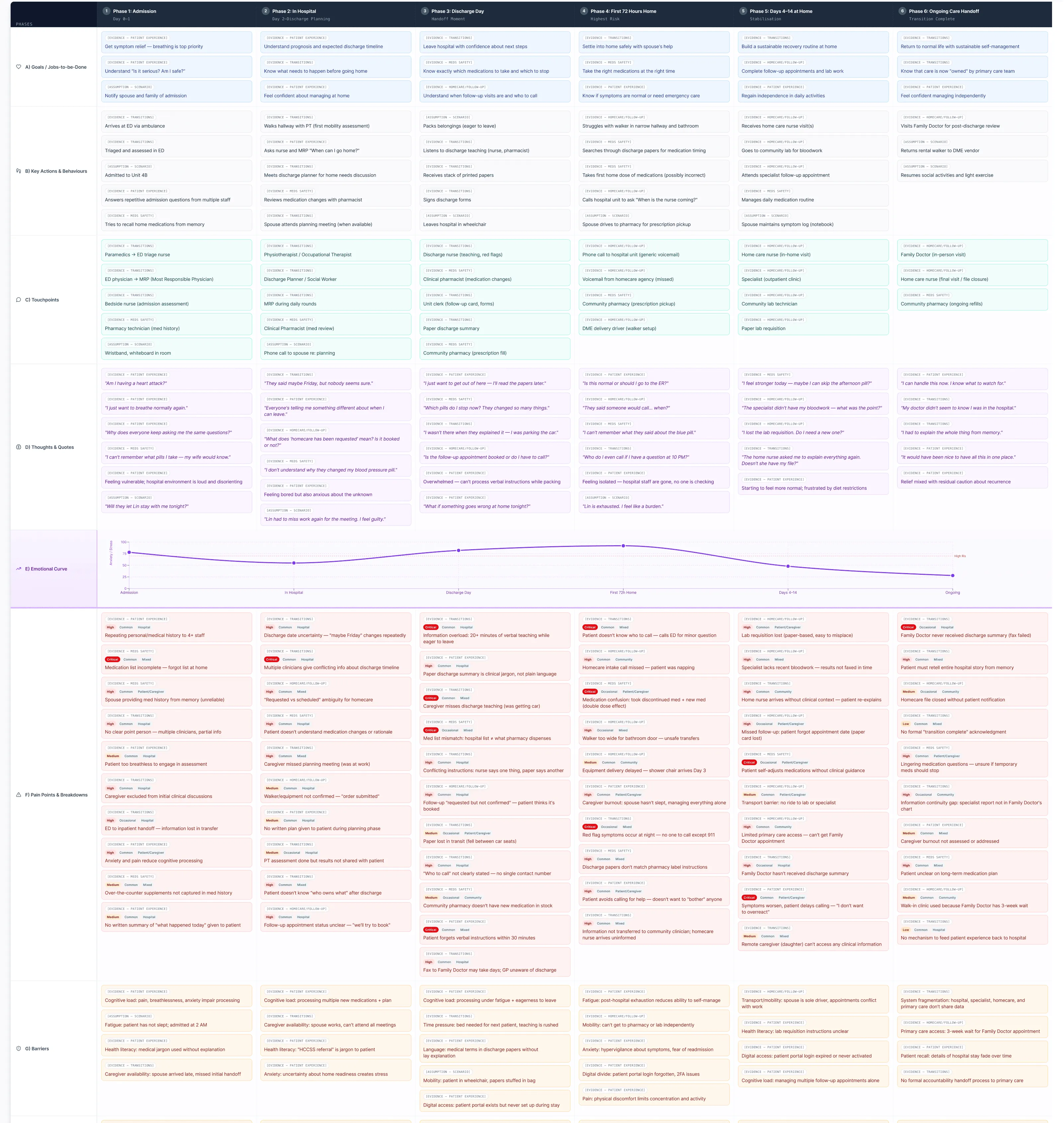
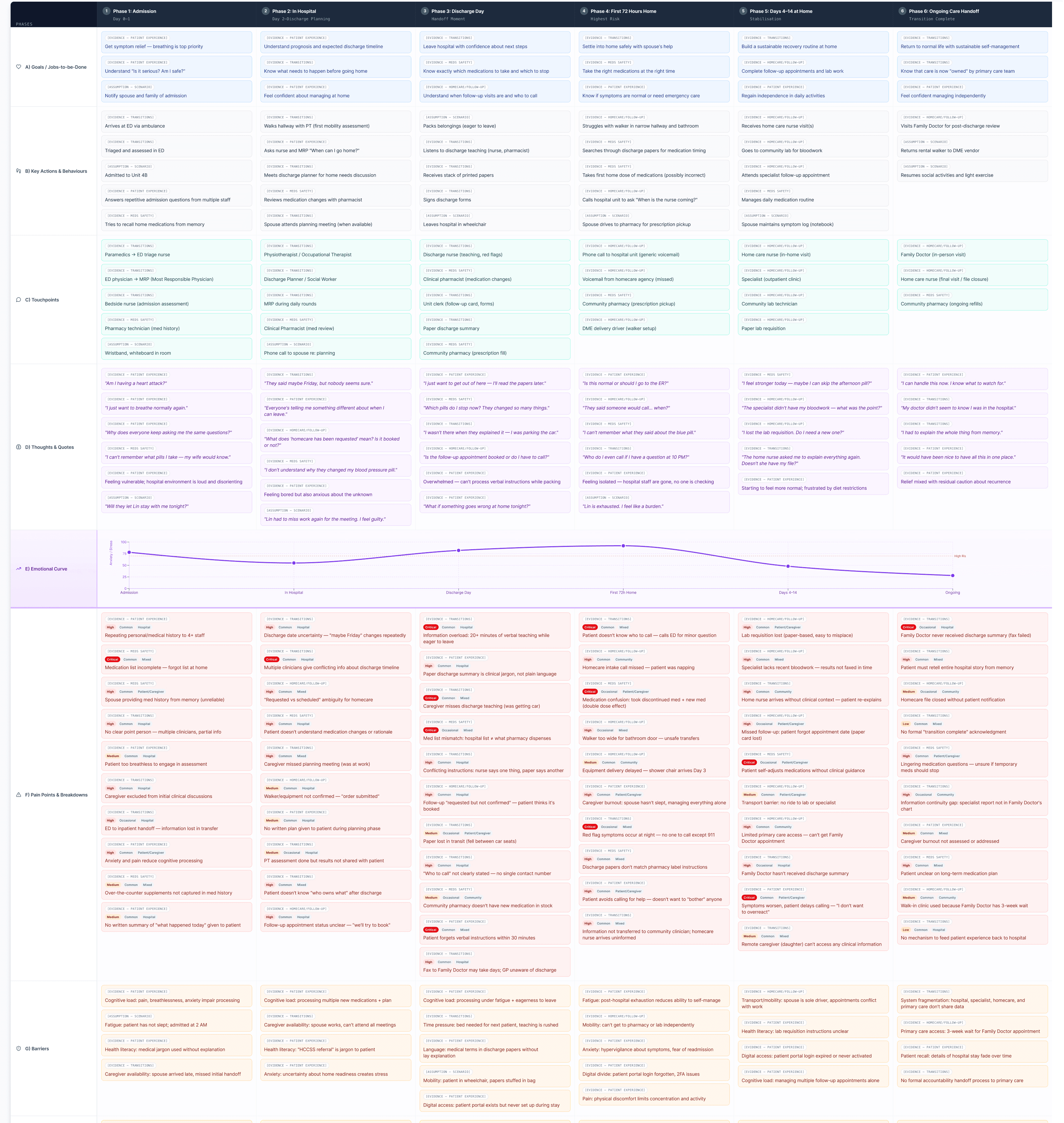
Hospital-to-home journey map
I mapped the transition from admission to ongoing care, marking evidence and scenario assumptions separately.
Open journey mapMedication updates, appointments and services needed to stay connected as the person moved home.
People needed to distinguish a request from a confirmed arrangement and know who to contact.
The patient-facing experience needed useful next steps while respecting the work and systems of care teams.
The study interviews took place in 2021; the paper was published in 2026. These research findings informed the direction, rather than measuring the product’s effectiveness.
Read the published study03 / Problem
Patients and caregivers had to keep track of changing medicines, appointments and services across the move home. It wasn’t always clear what had been requested, what was confirmed or who was responsible. The product needed to help them follow the plan and find the right contact while fitting the work of existing care teams.
04 / Home
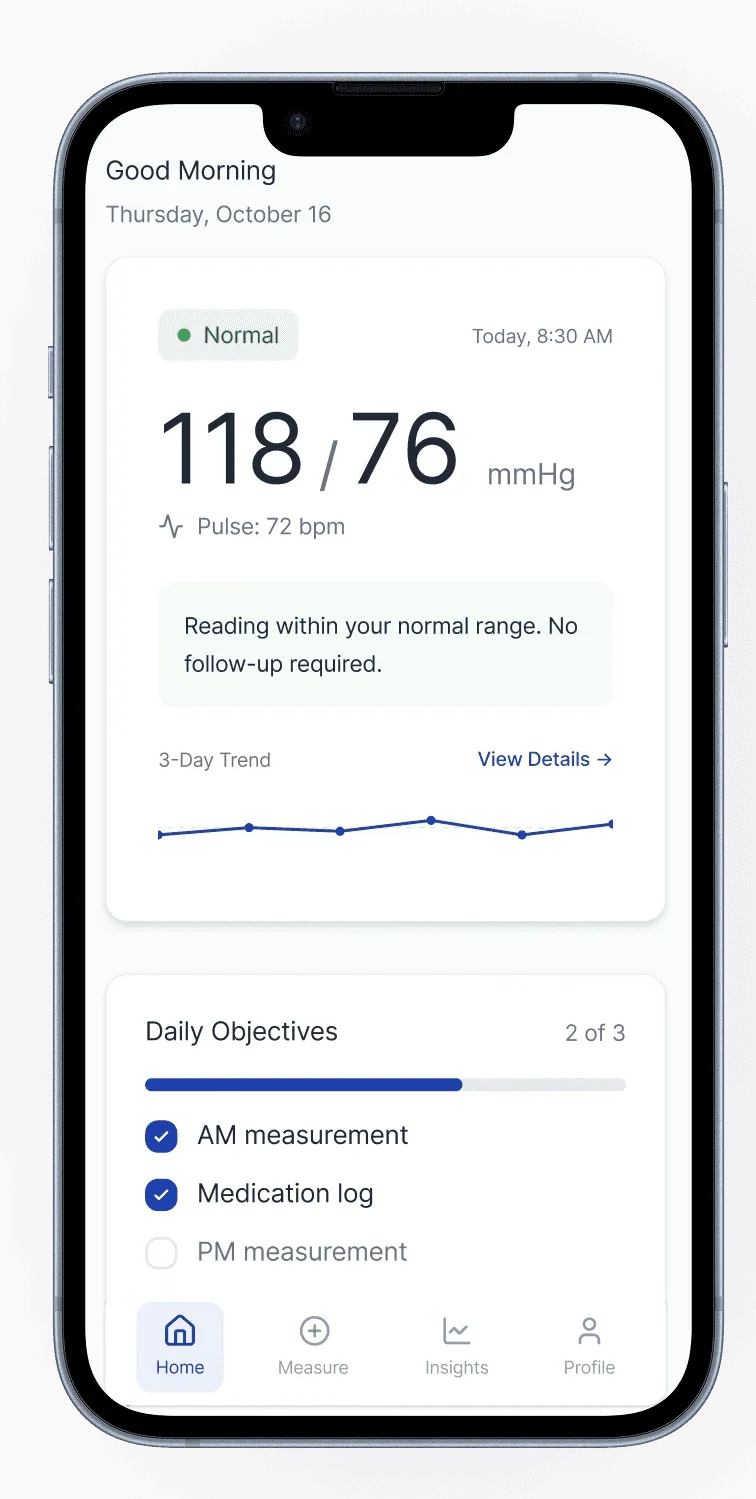
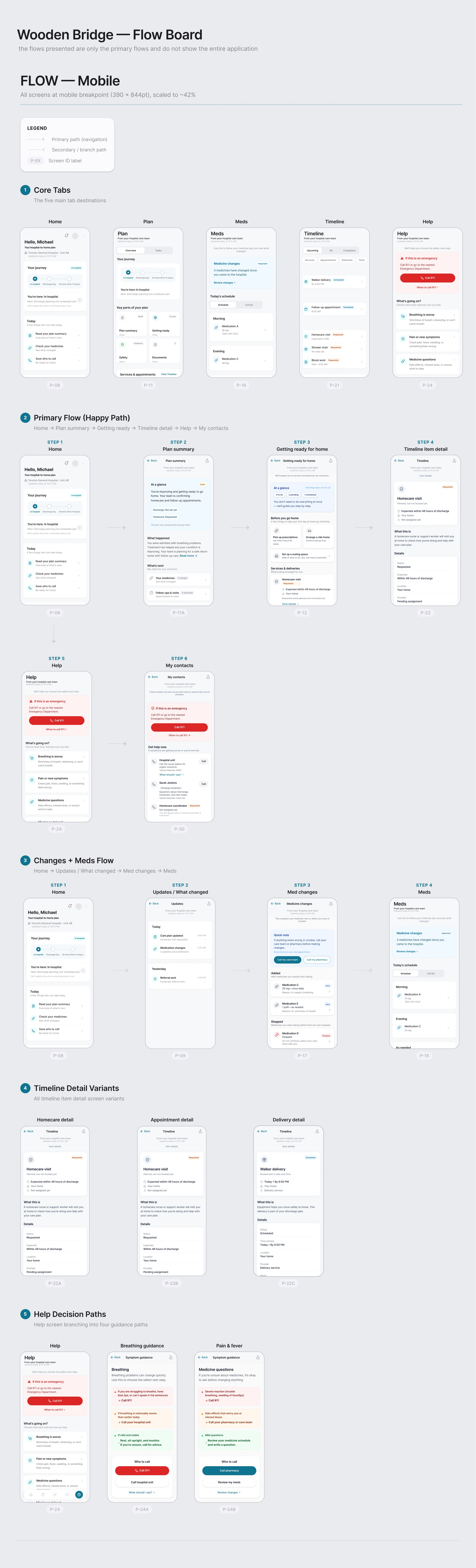
I organized the experience around five places: Home, Plan, Meds, Timeline and Help. Home anchors the person in their current stage of the transition, with a small set of things to do today and a preview of what comes next.
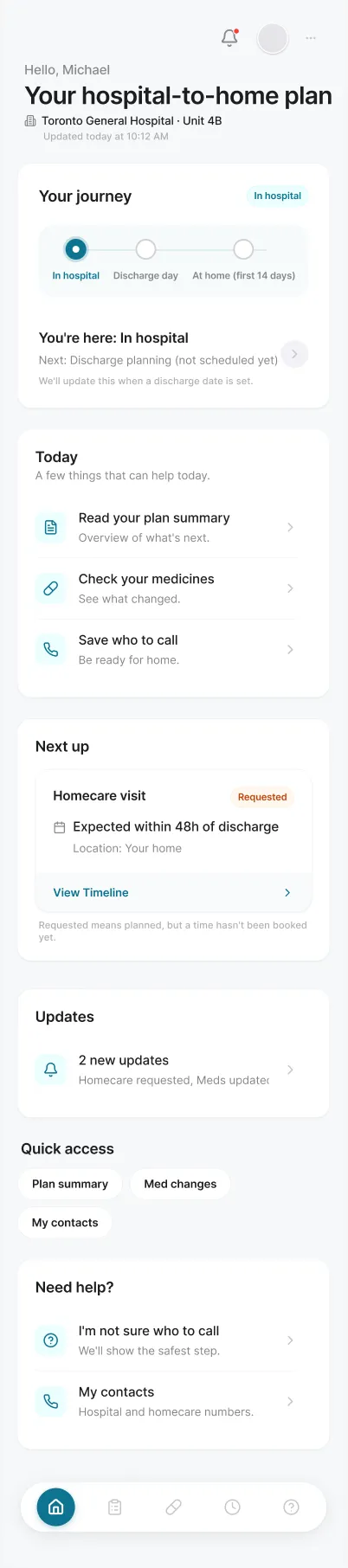
Home · selected prototype viewport
The starting view brings the current journey stage and today’s actions together.
The experience begins at admission, so the plan can develop before the patient is home.
Today brings a few useful actions into the starting view; Next up previews the next milestone.
The patient owns the plan and gives caregivers permission to access it. This accommodates different levels of caregiver involvement.
A closer look at Home
01 / 03
I put the current stage near the top so the person can see where they are in the move from hospital to home. The plan starts during admission and stays with them through discharge.
02 / 03
Today brings a few useful actions into one place. People can review their plan, check their medicines and find who to call without working through the whole care plan first.
03 / 03
Next up follows today’s actions. It gives the next milestone a place in the starting view, while keeping the immediate tasks above it.
Select a numbered area on the screen or use the controls above.
05 / Changes
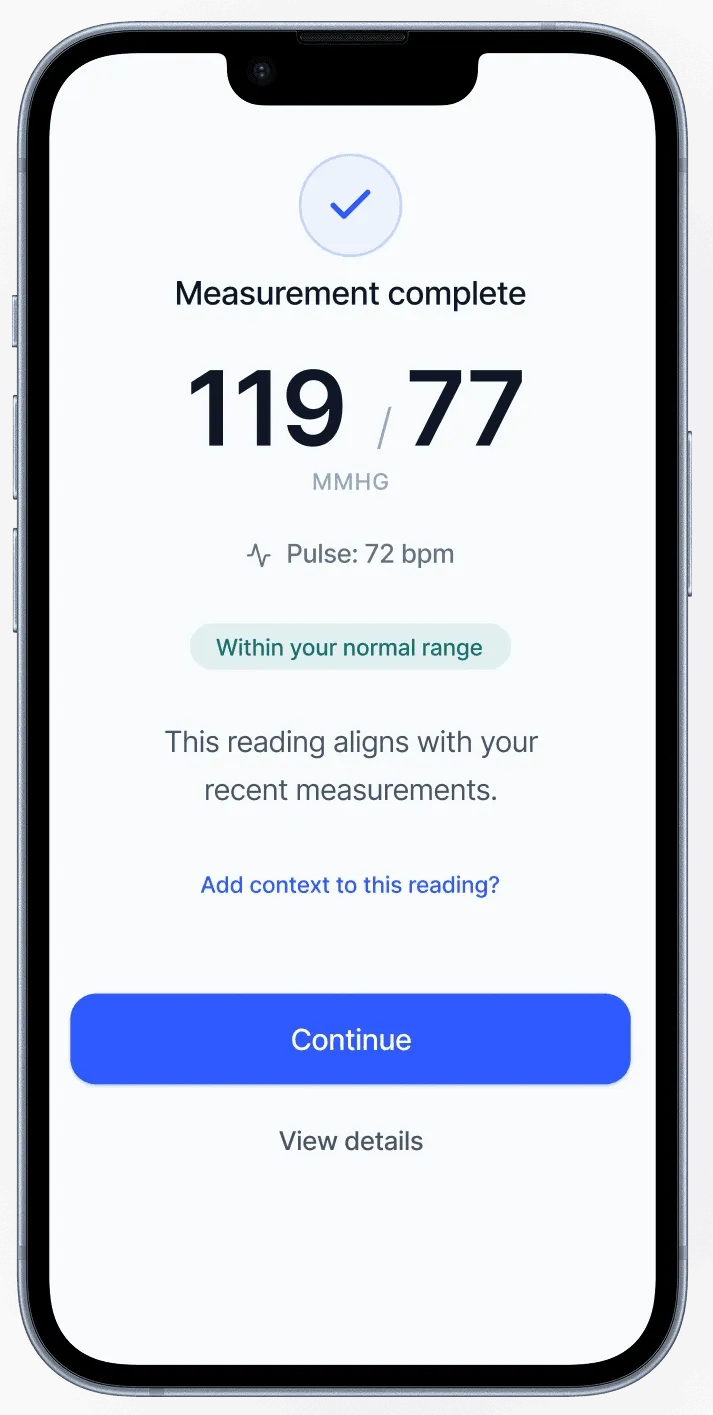
I gave updates a consistent route back to the plan, medicine or timeline item they affected. A medication update could lead to the change details and then the schedule, rather than leaving people to find the relevant information again.
Across the experience, I kept the status vocabulary to three terms so requests and confirmed arrangements would be easier to distinguish.
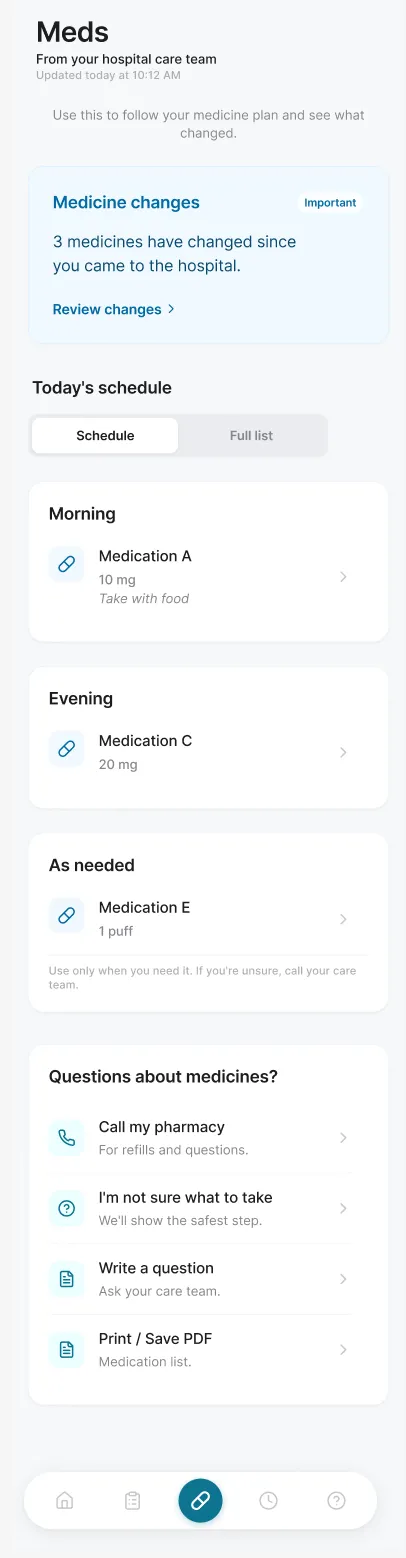
Meds · selected prototype viewport
Medicine changes appear above the daily schedule, keeping the update close to the information it affects.
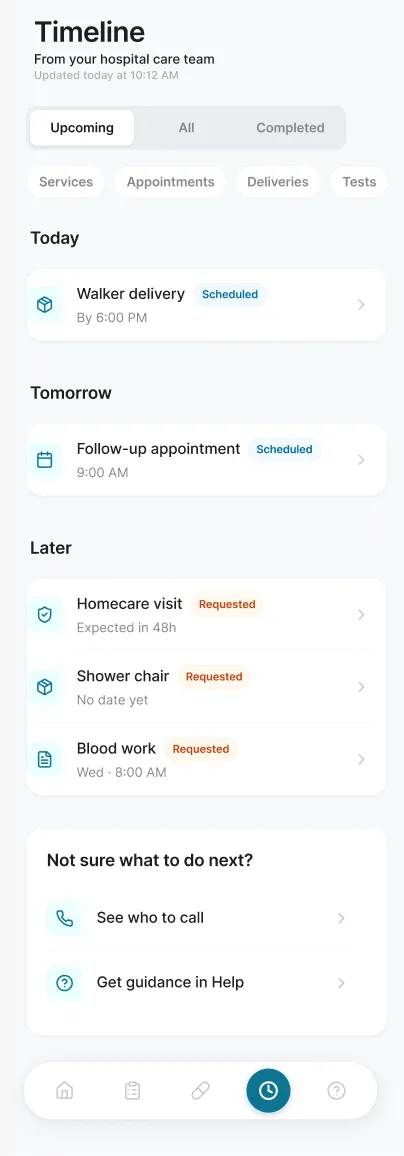
Timeline · selected prototype viewport
Services and appointments share one view, with status visible on each item and further detail available from it.
In timeline item details, I separated what the hospital team sends, what the community team arranges and what the patient needs to do. This gave people a view of the responsibilities around the item as well as its current status.
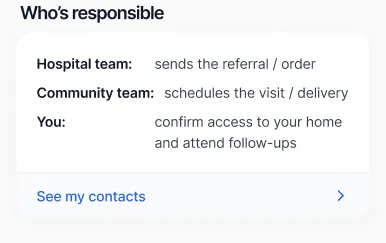
Timeline item detail · Responsibilities and contacts
06 / Care and support
The interface had to remain useful when a service was still pending or a detail was missing. Help brought contact routes together around the person’s concern, with urgent escalation kept visible. The intended role was guidance and access to care contacts, without attempting diagnosis.
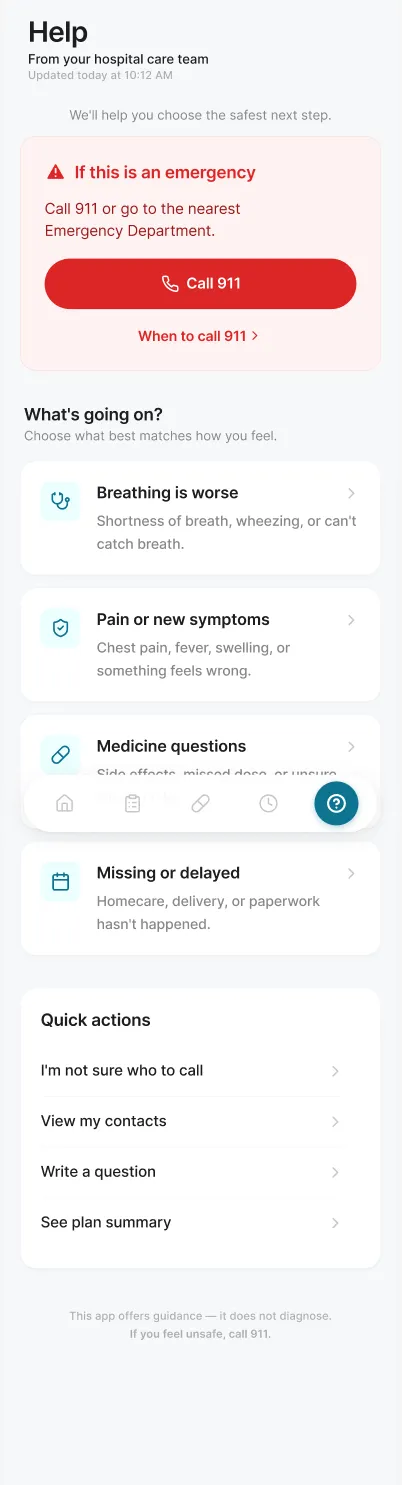
Help · selected prototype viewport
The prototype groups concerns and contact options, while keeping the urgent route separate and visible.
Patients wanted their hospital doctors to answer questions after discharge and connect directly with their family doctors. We explored how the product could support that continuity across care teams.
Conversations with hospital administrators and healthcare professionals revealed a service problem behind the feature. Ongoing follow-up would add coordination and administrative work, extending responsibilities beyond what some teams were trained or paid to do. We left the feature out because the interface would otherwise promise support that the care teams could not reliably provide.
I recommended revisiting it at a systems level, with a designated, resourced navigator on the care team who could support patients during and after their care. That was a recommendation for the future, not a role introduced through the MVP.
07 / Reflection
We tested the MVP with patients and caregivers who had already taken part in the research. Feedback was positive about much of the structure, and participants also identified needs the MVP did not yet cover. We presented the MVP and its limits to decision-makers: it could show a care plan and routes to help, while ongoing coordination across teams needed further service work.
I proposed a further study with people who had not taken part in the research. The existing group knew the project and its aims, so I wanted to understand how the product would work for someone encountering it for the first time. I moved to a new role before that study happened; later adoption is unknown to me.
I would test responsibility cues, status language and help pathways with lower-fidelity prototypes earlier in the process. I would also use realistic missing-information scenarios sooner. A plan needs to remain understandable as arrangements change and details are still missing.
KEEP EXPLORING
All work